A paddle raise the whole room can see
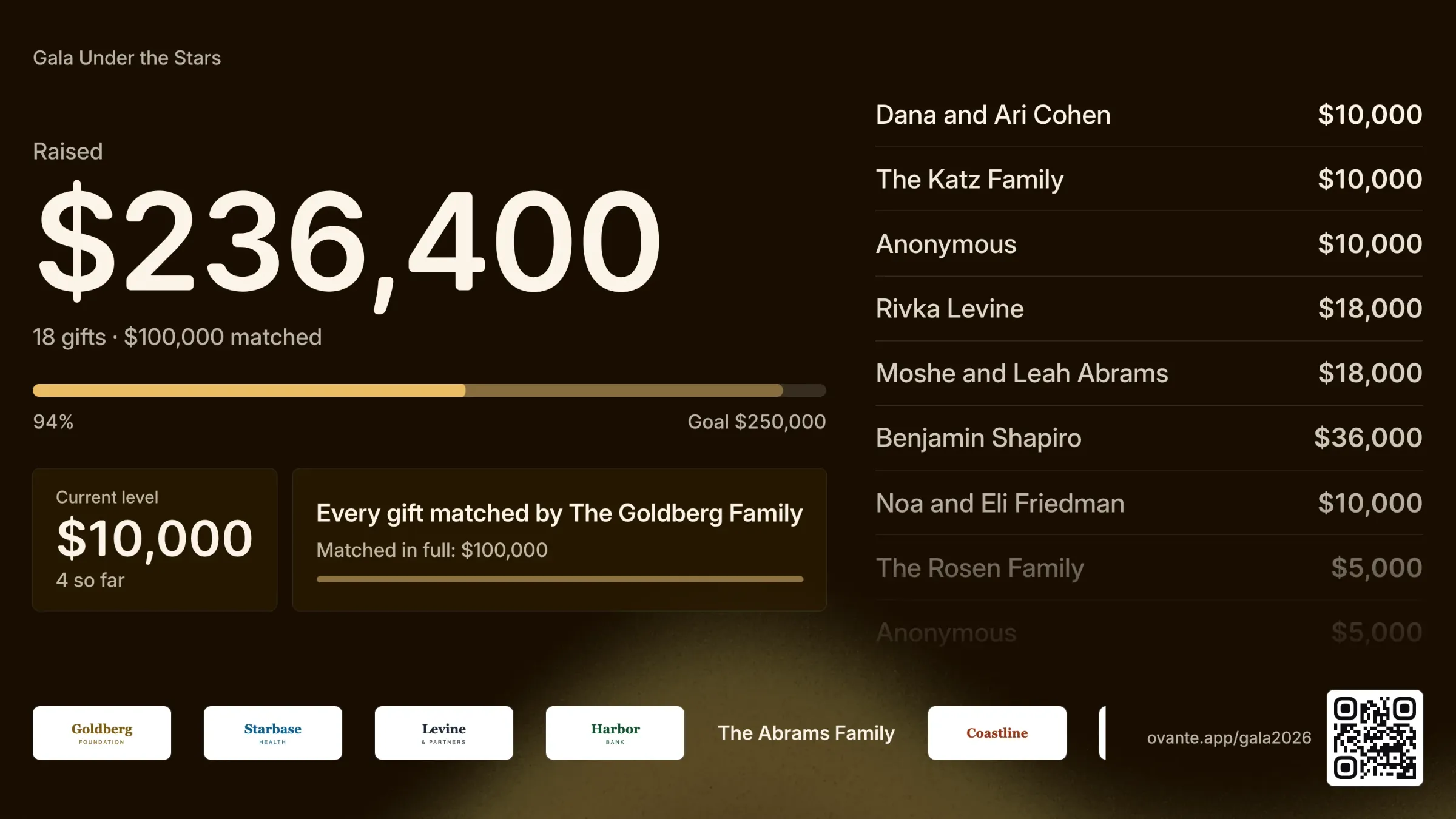
Put the appeal on the big screen, let volunteers enter paddles from their phones, and let guests pledge from their ticket.
How it works on your event
The screen
A full-screen page for the projector shows the goal, the total and each gift as it comes in, with the giver’s name or as anonymous.
Volunteers on their phones
Volunteers enter paddle numbers and amounts from their phones. Entries made while the wifi drops are kept and sent in order.
Run it from a console
Set the levels, call each one, and put a gift in the spotlight from the console.
Pledges from the ticket
Turn on pledges from tickets and guests can pledge from their own phone. Review each one first, or let it go straight to the screen.
Paddle numbers
Assign paddle numbers to the room and print paddle cards.
Collected afterwards
The pledge list shows who still owes. Mark a pledge paid when the money arrives and it becomes a gift on their record.
3 steps to set it up
- 1
Set the goal and the levels you’ll call.
- 2
Open the screen on the projector and the entry page on volunteers’ phones.
- 3
Enter paddles as hands go up, then collect the pledges.
Frequently asked
Can we hide names on the screen?
Yes. Names show by default, any gift can be anonymous, and each appeal can flip the default.
What if the wifi goes down?
Volunteers keep entering paddles. Their phones keep each entry and send them in order once they’re back online, and the screen counts each one once.
How do pledges get collected?
The pledge list shows what each person owes and their contact details. Mark a pledge paid when the check or transfer arrives, and it becomes a gift on their record and in your CRM.
The rest of the night
Every part shares one guest list, on one price per event.
Tickets and tables
Ticket types, full tables, giving at checkout, and checks, Zelle or card.
Sponsors
Levels and perks on your page, logos collected and approved, benefits tracked.
Tribute journal
Ad sizes and prices, artwork uploads with deadlines, review, one download.
Seating
Parties kept together, AI that reads requests, auto-seat, place cards.
Check-in
Scan with any phone, check in whole parties, keep going offline.
Planning a gala?
Tell us the date and the size of the room, and we’ll walk you through it on your own event.
Talk to us