Gala software

Run your whole gala in one place

Tickets and tables, sponsors, the tribute journal, seating and the paddle raise, in one system with your guest list and your CRM.

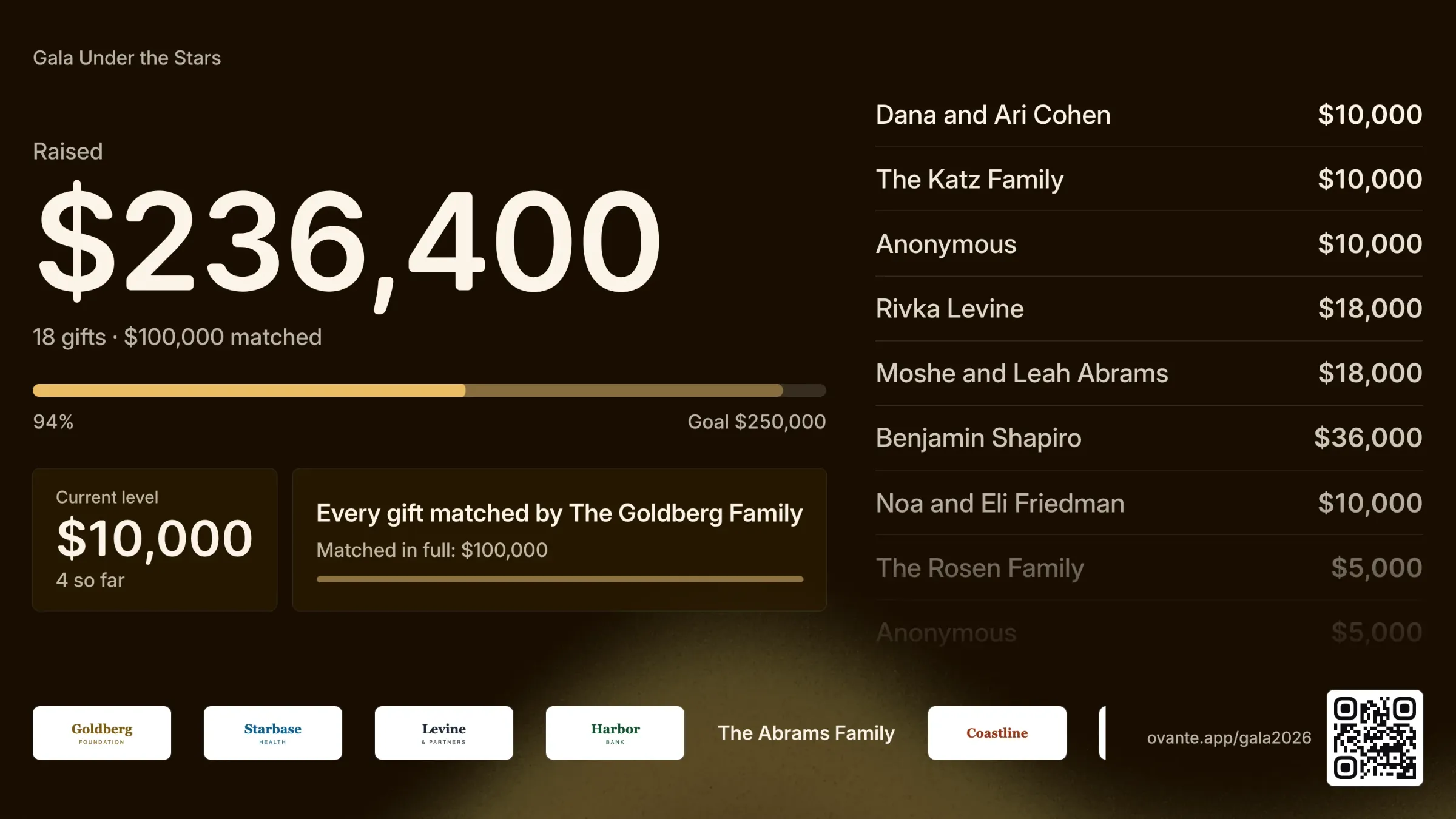
The paddle raise on the big screen: $236,400 raised toward a $250,000 goal, the current level, a matching gift, the latest gifts by name and sponsor logos.
Start to finish

Before, during and after the night

  1. 1

    Before the gala

    • Sell tickets and full tables on a page in your colors.
    • List your sponsorship levels and what each one includes.
    • Sell journal ads and collect the artwork before your deadline.
    • See who still owes a logo, an ad or their guests’ names.
  2. 2

    On the night

    • Check guests in from any phone, a whole party with one tap.
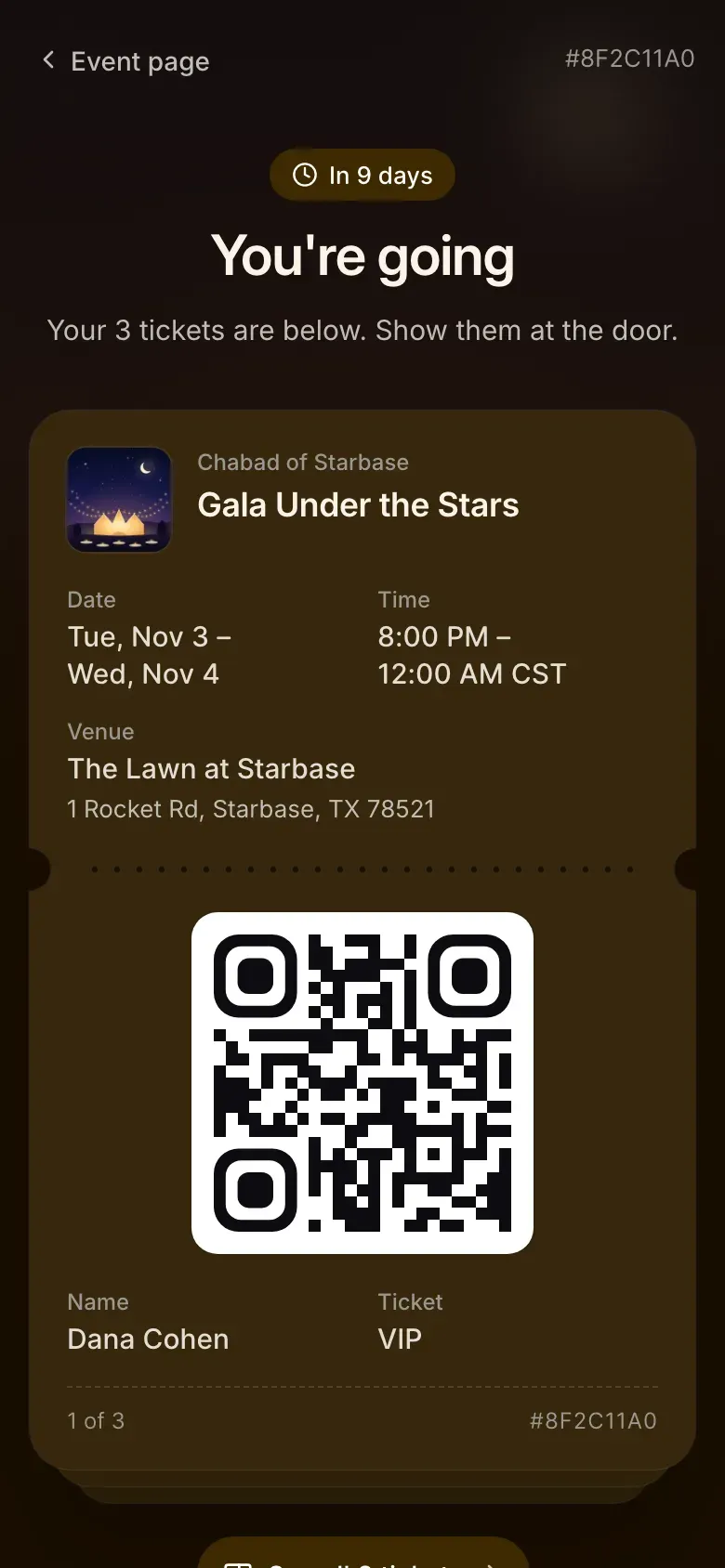
    • Show every guest their table on their ticket.
    • Put the paddle raise on the big screen while volunteers enter paddles.
  3. 3

    After the gala

    • Mark pledges paid as the checks arrive.
    • Every gift lands on the guest’s record and in your CRM.
    • Receipts state the tax-deductible part of each payment.
What’s included

Everything the night needs

Each part works on its own and shares one guest list, so a sponsor’s table, ad and pledge sit on the same record.

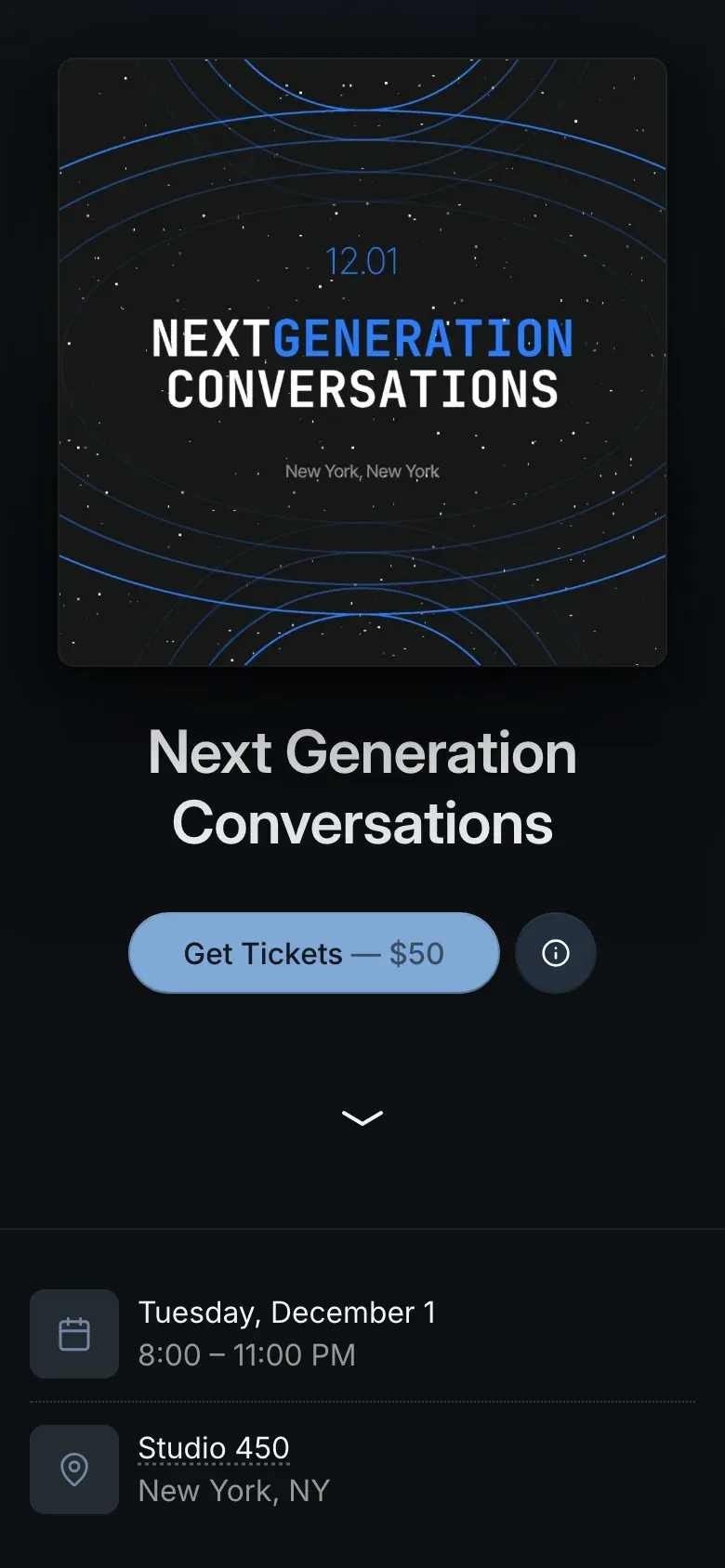
A gala event page on a phone: the cover, the event name, a Get Tickets button with the price, and the date and venue.
Tickets and tables

Sell tickets and tables on a page that looks like your gala

Ticket types, full tables, giving at checkout and every way your guests pay, with the tax-deductible part on each receipt.

  • Tables in one purchase. Sell a table of 10 as one item. The party sits together, and each seat can carry its guest’s name.
  • A page in your colors. Ovante builds the page’s palette from your banner and sets the titles in the face you pick. It can live on your own domain.
  • Every way to pay. Card, or check, bank transfer, Zelle, Venmo and PayPal with your instructions. An offline order shows what is owed until you mark it paid.
More about tickets and tables
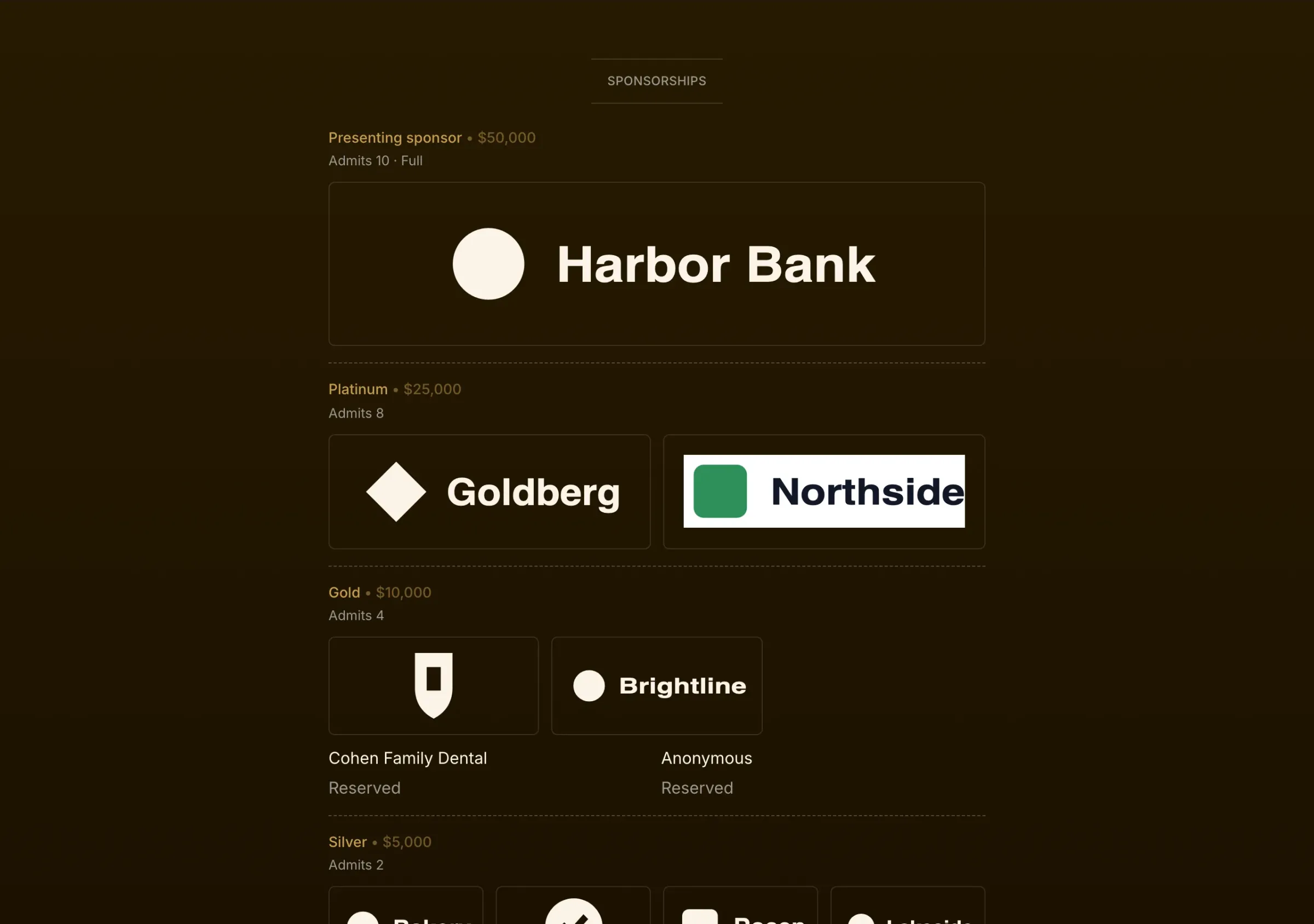
The sponsorships section of an event page: a presenting sponsor’s logo, then Platinum and Gold levels with logos in the page’s colors and reserved places.
Sponsors

Sponsors, from the first yes to the logo on the screen

Sponsorship levels on your event page, logos collected and checked, benefits tracked, and every sponsor on the screen during the appeal.

  • Levels and what they include. Set each level’s price, its number of places and the seats it includes. One table compares the perks across every level.
  • Places held and places left. Hold places for sponsors who said yes before they pay. The event page shows each level, its perks and how many places are left.
  • Logos without the email chain. Each sponsor uploads their logo from their order page before your deadline. You approve it or ask for another, and one-color logos take your page’s colors.
More about sponsors
A tribute journal ad shown full screen on the projector during the gala.
Tribute journal

Your tribute journal, without the PDF forms

Sell journal ads with your tickets or on their own, collect the artwork before your deadline, and download every approved ad in one file.

  • Ad sizes and prices. Set each size’s price and fair market value, so the deductible part of every ad is right on the receipt.
  • Sold online or by check. Guests add an ad when they buy tickets, or buy an ad without attending. Ads paid by check go in the same list.
  • Artwork from the buyer. Each buyer uploads their ad from their order page. You see a preview of each one and approve it or ask for changes.
More about tribute journal
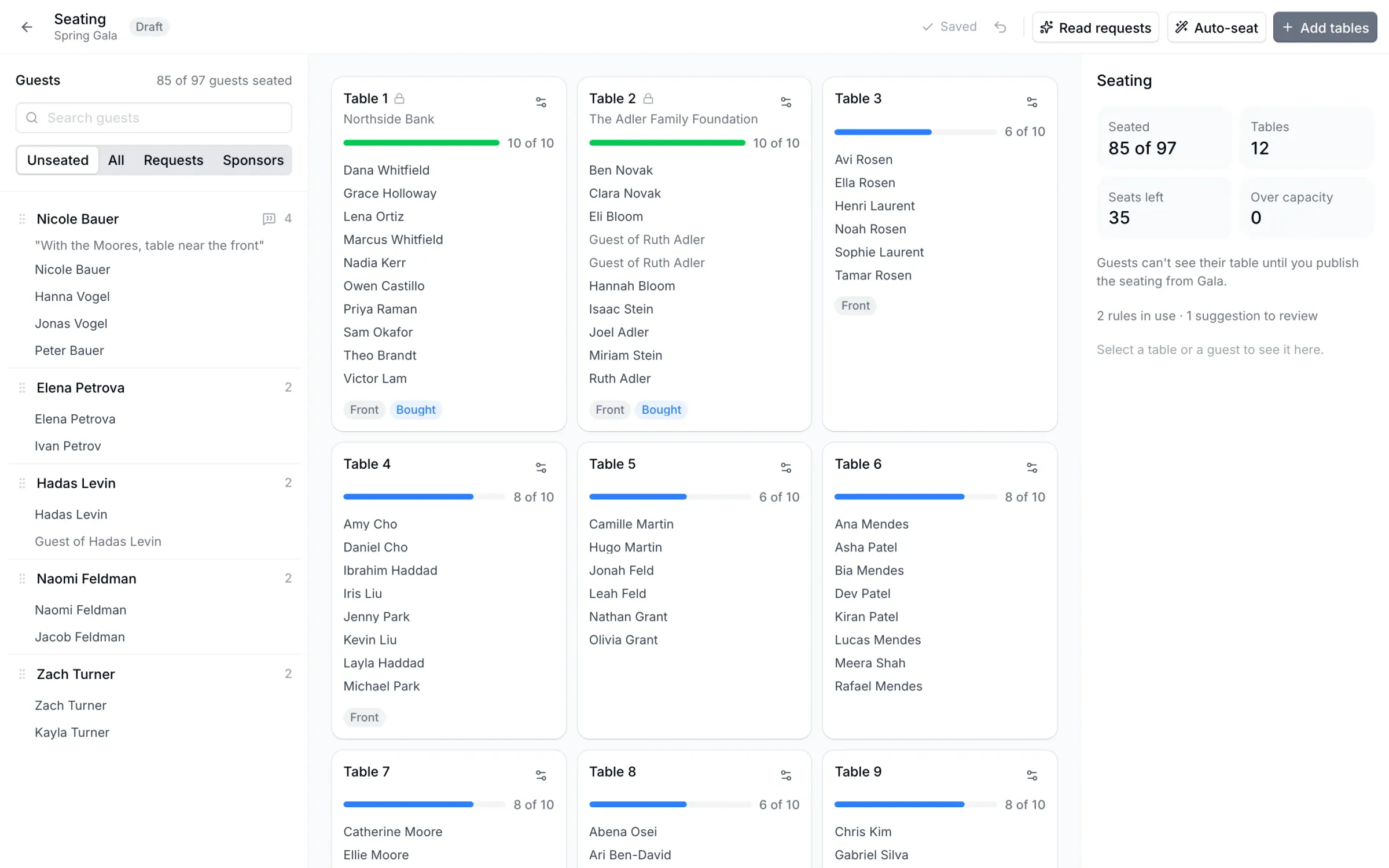
The seating editor: guests still to seat on the left with their seating request, twelve tables with the guests at each, and a summary of seats and rules.
Seating

Seat the whole room, with every party kept together

Tables, parties and seating requests in one editor, with AI that reads the requests and auto-seat that follows the rules you accept.

  • Parties stay together. Every order is a party. A sponsor’s table is reserved for them and labeled with their name.
  • Requests, read for you. Guests write seating requests in their own words. Ovante’s AI turns them into rules, such as “seat with the Cohens”, and you accept or reject each one.
  • Auto-seat. Auto-seat fills the tables from the rules you accepted. Move anyone by hand, and undo any change.
More about seating
The paddle raise on the big screen: $236,400 raised toward a $250,000 goal, the current level, a matching gift, the latest gifts by name and sponsor logos.
Paddle raise

A paddle raise the whole room can see

Put the appeal on the big screen, let volunteers enter paddles from their phones, and let guests pledge from their ticket.

  • The screen. A full-screen page for the projector shows the goal, the total and each gift as it comes in, with the giver’s name or as anonymous.
  • Volunteers on their phones. Volunteers enter paddle numbers and amounts from their phones. Entries made while the wifi drops are kept and sent in order.
  • Run it from a console. Set the levels, call each one, and put a gift in the spotlight from the console.
More about paddle raise
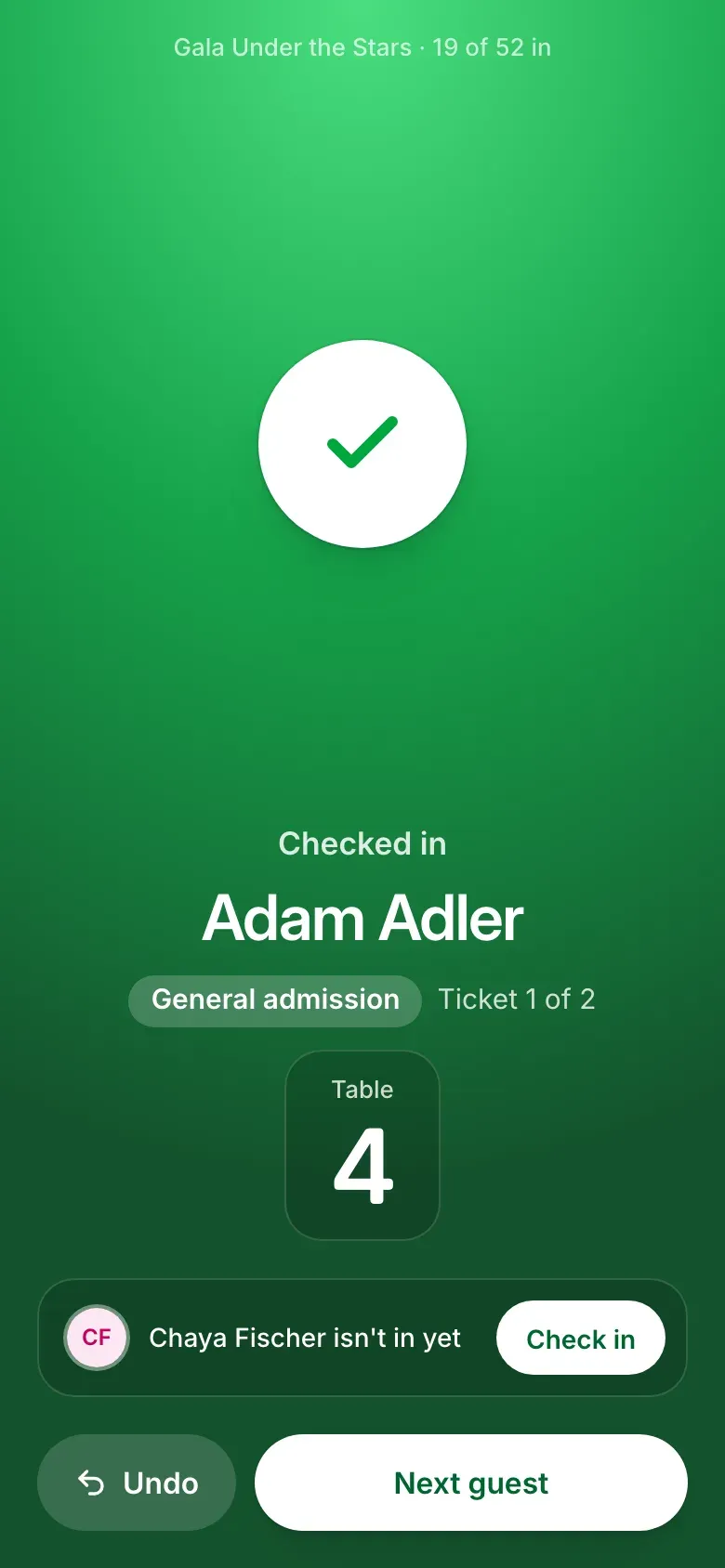
Check-in on a phone after a scan: Checked in, the guest’s name, their ticket and table number, and a button to check in the rest of the party.
Check-in

Check in a full ballroom from any phone

Scan tickets with the phone’s camera, search by name, check in a whole party at once, and keep going when the wifi drops.

  • Any phone, no app. Open check-in in the phone’s browser and point the camera at a ticket.
  • The answer fills the screen. Green for in, amber for look closer, red for stop, with the guest’s name in large type.
  • Whole parties at once. Scan one ticket and check in the rest of the order with one tap.
More about check-in
Also included

The rest of the gala

The people you honor, what you raised, and the records your team already keeps.

  • Honorees and committee

    Honoree cards on the event page, a committee list you can import from a spreadsheet, and a link for each member that counts the tickets they sell.

  • One number for what you raised

    Tickets, sponsorships, ads and gifts in one Raised figure, with what is still to collect beside it.

  • Your CRM, kept in sync

    Guests, gifts and sponsorships reach Salesforce or ChabadOne as they happen.

Pricing

One price per gala

Pay once for the event. Ovante takes no percentage of tickets, tables, sponsorships, ads or gifts.

Gala

$2,500per event, paid once

Talk to us
  • Every Gala module on that event
  • Pro features on that event, on any plan
  • No Ovante fee on anything sold for that event
  • 12 months of Pro for the rest of your events
  • Setup help and someone on call during your event, on request

Card payments carry your card processor’s fee. Guests can choose to cover it at checkout.

Questions

Frequently asked

How much does Gala cost?

$2,500 for one event, paid once. Ovante takes no percentage of what you raise. Card payments carry your card processor’s fee, and guests can choose to cover it at checkout.

Do you take a percentage of donations or sponsorships?

No. On a Gala event Ovante charges no platform fee on tickets, tables, sponsorships, journal ads or gifts.

Does Ovante run auctions?

Not yet. Ovante doesn’t run silent or live auctions or mobile bidding today. It is built for galas that raise their money through tables, sponsors, a tribute journal and the paddle raise.

Can guests pay by check?

Yes. You choose the ways to pay: card, check, bank transfer, Zelle, Venmo or PayPal, each with your own instructions. An order paid offline keeps its seats and shows what is owed until you mark it paid.

Can someone give without attending?

Yes. Turn on giving without attending and the event page asks guests whether they’re coming. Someone who can’t come gives with the same amounts and gets a receipt.

Does it work with our CRM?

Ovante syncs contacts, registrations and gifts to Salesforce and ChabadOne. Any other system can receive the same updates by webhook.

What does the AI do?

It reads guests’ seating requests, written in their own words, and suggests seating rules. It sees names and the request text only, never emails, phone numbers or payments, and you accept each rule before auto-seat uses it.

Can our event pages use our own domain?

Yes. Your event pages and your calendar can live on a domain you own, such as events.yourorg.org. We set it up with you.

How long does a Gala stay open?

Until 90 days after the event ends, so you can collect pledges and close the books. After that every record stays readable.

Planning a gala?

Tell us the date and the size of the room, and we’ll walk you through it on your own event.

Talk to us