Check in a full ballroom from any phone
Scan tickets with the phone’s camera, search by name, check in a whole party at once, and keep going when the wifi drops.
How it works on your event
Any phone, no app
Open check-in in the phone’s browser and point the camera at a ticket.
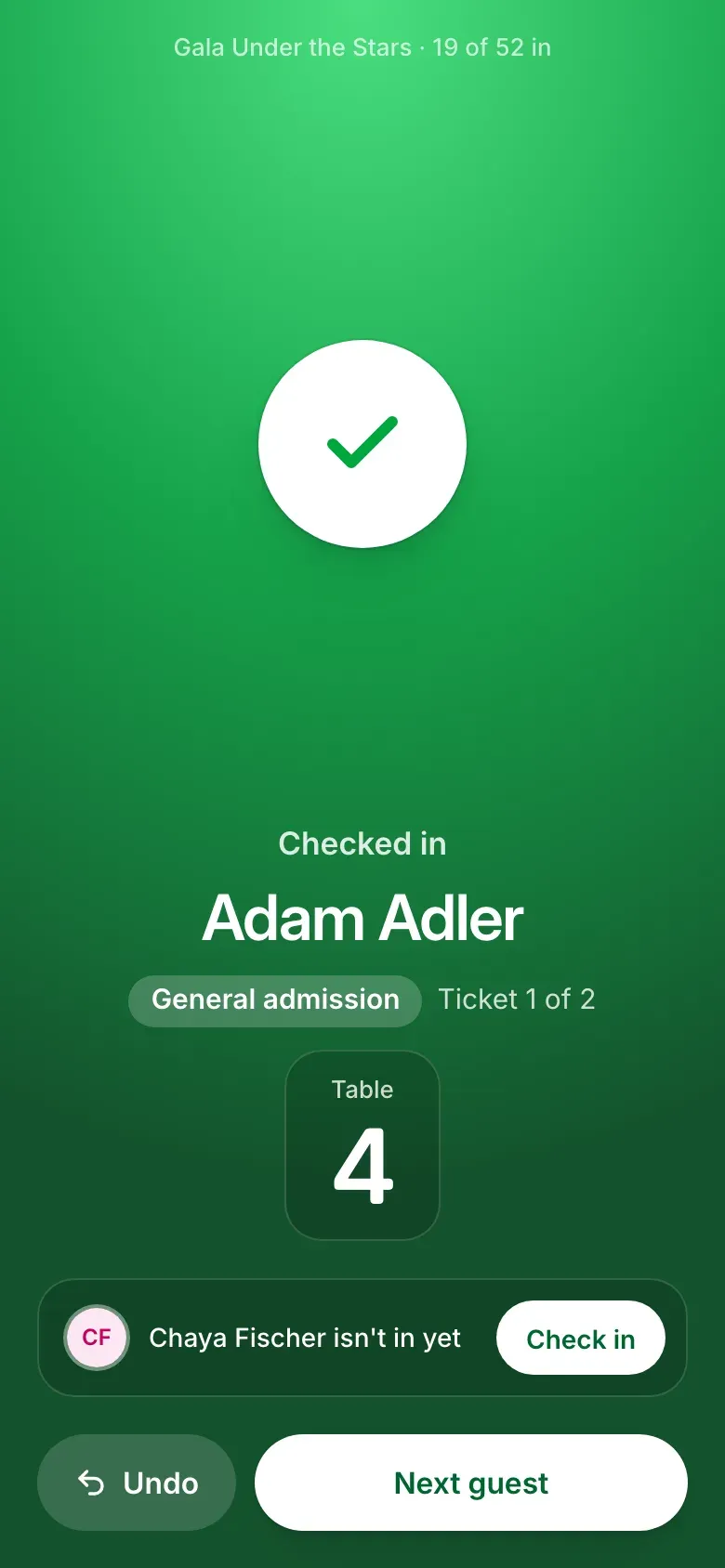
The answer fills the screen
Green for in, amber for look closer, red for stop, with the guest’s name in large type.
Whole parties at once
Scan one ticket and check in the rest of the order with one tap.
Search by name, email or phone
Find a guest by the start of any name, their email, or three digits of their phone.
Every door at once
Several phones can work the doors. Each one sees the others’ check-ins within seconds.
Door staff see the door
Give volunteers the Door staff role. They check guests in and see no money or orders.
Keeps going offline
A check-in made without signal waits on the phone and goes through when it’s back online.
3 steps to set it up
- 1
Invite your door team as Door staff.
- 2
Open check-in on their phones.
- 3
Scan tickets as guests arrive.
Frequently asked
Does it work without internet?
Yes. A check-in made offline waits on the phone and goes through once it reconnects.
Can volunteers see donation amounts?
Not with the Door staff role. It shows the guest list and check-in, with no money and no orders.
The rest of the night
Every part shares one guest list, on one price per event.
Tickets and tables
Ticket types, full tables, giving at checkout, and checks, Zelle or card.
Sponsors
Levels and perks on your page, logos collected and approved, benefits tracked.
Tribute journal
Ad sizes and prices, artwork uploads with deadlines, review, one download.
Seating
Parties kept together, AI that reads requests, auto-seat, place cards.
Paddle raise
The appeal on the big screen, paddles entered by phone, pledges collected after.
Planning a gala?
Tell us the date and the size of the room, and we’ll walk you through it on your own event.
Talk to us